Live Photo Wall for Weddings and Events: Setup and 12 Ideas
How a live photo wall works, five ways to put it on any TV or projector, what to write next to it, and 12 ideas that make guests upload all evening.

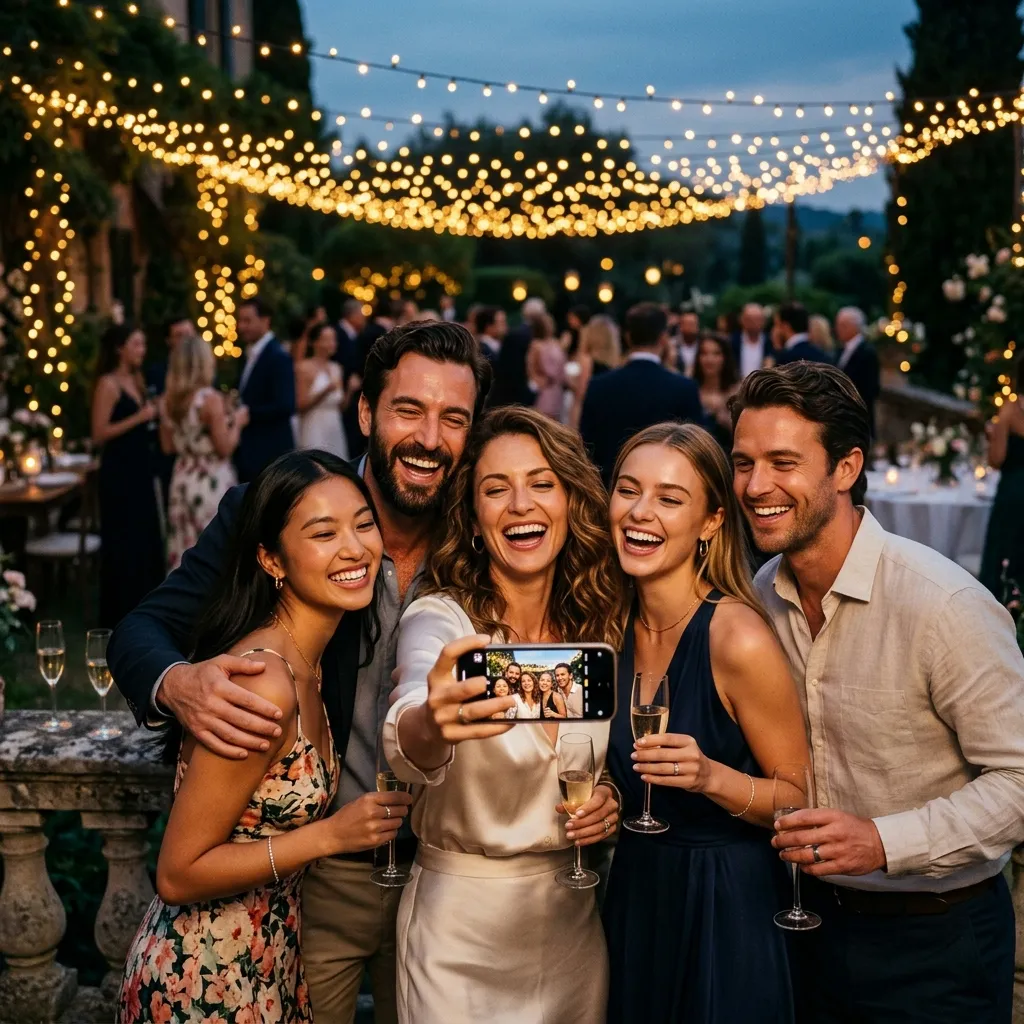
A live photo wall is a screen at the venue that shows guest photos seconds after they are taken. A guest scans the QR code, uploads a photo from the dance floor, and it is on the TV before they have put the phone away. It is the single most effective thing you can do to make guests share photos, because it turns uploading from a favour into a game everyone in the room can see. This guide covers how it works, five ways to get it onto any TV or projector, what to write next to the screen, what to do about an unwanted photo, and twelve ideas that keep the wall busy all night.
Everything below is written around EventPixel's wall, which is included on the free plan, but the setup logic is the same for any app that gives you a wall link. If you have never seen one running, the demo event has a live wall you can open right now.
How a live photo wall works
The wall is a web page. Your event has a link with /wall on the end; anything with a browser and a screen can show it. The page listens for uploads in real time: when a guest's photo lands, it jumps to the front of the queue so that guest sees it within seconds, then the wall settles back into a loop of everything uploaded so far. A QR code sits in the corner so people watching can scan and add their own without hunting for a table sign.
Three things follow from that design. Only the screen needs internet; guests upload over their own mobile data. Nothing is installed on the TV. And there is no delay for review: photos appear as they are uploaded, which is what makes the loop work, and which is why the section on unwanted photos below matters.
Why it changes how many photos you get
- Feedback loop. A guest uploads, sees it on the screen, and three people at the table ask how. The wall is the best advertisement your QR code will ever get.
- It fills the gaps. Between courses, during speeches, while the couple is off with the photographer, the wall gives the room something to watch that is about them.
- It rewards the shy guests. Someone who would never post to a group chat will upload a photo to a wall, because nobody's name is attached and everyone claps at the good ones.
- It sets the tone for the morning after. Guests who watched the wall know the album exists and upload the rest from the sofa the next day.
Five ways to put it on a screen
| Setup | How | Good to know |
|---|---|---|
| Laptop + HDMI | Open the wall link in Chrome, press F11 for full screen, plug into the TV or projector | Most reliable. Set the laptop to never sleep while plugged in and switch off the screensaver. |
| Smart TV browser | Type the link into the TV's own browser | Works on most Samsung, LG and Android TVs. Some TV browsers are slow with a big gallery; test the day before. |
| Chromecast | Open the link in Chrome on a laptop or phone and cast the tab | Keep the casting device awake and on power all evening. |
| Apple TV | Open the link in Safari on an iPhone or Mac and AirPlay it | Mirror the whole screen for full-screen output. |
| Fire TV Stick | Install the Silk browser on the stick, type the link | Cheapest option for a venue TV with no laptop nearby. |
The link is short enough to type into a TV by hand. Full detail, including projector resolution, is in how to show the wall on a TV or projector.
Settings worth touching (and one you can't)
- Slide speed. Slow, normal or fast, under Settings → Live Photo Wall. Without a setting the wall shows one photo every six seconds. Slow suits a dinner; fast suits a dance floor.
- QR code on the wall. On by default and most hosts leave it on, because it is what keeps uploads coming all evening. Turn it off if the screen faces the street or a corridor.
- Per-screen overrides. Add
?speed=slowor?speed=fastand?qr=0to the link on one device to override the dashboard setting there. Press Q on a keyboard to toggle the QR code. Details: speed and QR settings. - New photos jump the queue. You cannot turn this off, and you would not want to; the guest seeing their own photo within seconds is the whole mechanism.
What to write next to the screen
The wall's own QR code does the technical work; a small sign beside the TV does the persuading. Three lines, same as a table sign:
- See yourself up here — scan to add your photos
- Live from tonight. Scan, upload, watch it appear.
- Your photo on the big screen in 10 seconds. No app, no login.
The free sign generator prints any of these at 5×7 or A4 with your code on it, and the sign ideas guide has thirty more lines.
The unwanted photo: what actually happens
Every couple asks this, so here is the straight answer. Photos go live on the wall the moment they are uploaded; there is no approval step where they wait for you. That is deliberate, because a wall with a ten-minute delay loses the feedback loop that makes it work. What you have instead is instant removal: delete a photo from the dashboard or the gallery and it leaves the wall and the album immediately (how to delete a photo).
In practice that means one person holds the dashboard on their phone for the evening. Add a co-organizer (a planner, a sibling, the friend running the music) so it is not the couple. A phone in a pocket handles it; the job is a few seconds when it comes up at all. If your event genuinely needs every photo reviewed before anyone sees it, a live wall is the wrong format regardless of the app; run the gallery without the wall and show a curated slideshow instead.
Two more controls: a password on the event site keeps uninvited people out of the gallery (the wall link itself is meant to run only on a screen you control, so do not share it), and guest downloads can be switched off if the content is sensitive.
12 live photo wall ideas
- Seed it before guests arrive. Upload 20 photos from the engagement, the mehendi or the rehearsal dinner so the wall is never a black screen with a QR code on it. An empty wall gets no uploads.
- Put the first TV at the bar. Guests stand there with a phone in hand and nothing to do. The bar wall gets scanned more than the one behind the top table.
- Cocktail hour on a loop, dinner on slow. Switch the speed with the link parameter on the dinner-room screen so it does not flicker through the speeches.
- The photographer's teaser. Ask your photographer to upload ten frames from the ceremony during dinner. Guests seeing professional shots next to their own keeps both flowing.
- A challenge on the sign. "Upload a photo of someone laughing" or "the best shoe on the dance floor" gives guests a reason to take a specific photo instead of a generic one.
- The grandparents' screen. A tablet on the family table, opened to the wall, for guests who will not look at the big screen.
- Sangeet and haldi walls. For multi-day Indian weddings, run the wall at every function. The sangeet wall is usually the busiest of the whole wedding.
- Announce it once. A single sentence from whoever holds the microphone ("scan the code, watch yourself appear up there") produces a wave of scans that no sign does.
- Corporate: the coffee-break screen. At a conference, the wall on the break-area screen with the event hashtag beside it does more for attendee photos than any email. Delete anything off-brand from the dashboard in seconds.
- The last-dance switch. Turn the speed to fast for the final half hour. A rapid montage of the night as it ends is the moment people film.
- Leave it running at the exit. A small screen or tablet by the door shows guests, as they leave, the album they contributed to. That is the memory that makes them upload the rest tomorrow.
- Send the album link the next morning with a line about the wall ("if you saw yourself on the screen last night, everyone's photos are here"). See the collection guide for the timing.
Test the night before (ten minutes)
- Open the wall link on the actual TV, with the actual cable, at the venue.
- Upload one photo from your phone over mobile data, not the venue Wi-Fi. It should appear within seconds.
- Delete that photo from the dashboard. It should vanish from the wall at once.
- Leave the screen for five minutes. If it sleeps, fix the laptop or TV power settings now, not tomorrow.
- Check the QR in the corner scans from where guests will stand.
If anything misbehaves, photo wall troubleshooting covers the usual four: screen sleeps, no new photos, black or letterboxed output, slow TV browser.
FAQ
What do I need to run a live photo wall at a wedding?
A screen and one device with a browser: a laptop on HDMI, a smart TV's own browser, a Chromecast, an Apple TV or a Fire TV Stick. The wall is a web link from your event dashboard. Only the screen device needs internet; guests upload over their own mobile data, and nothing is installed on the TV.
How fast do photos appear on the wall?
Within seconds. The wall listens for uploads in real time and moves a brand-new photo to the front of the queue, then returns to looping through everything uploaded so far at the speed you set (one photo every six seconds by default).
Can I approve photos before they show on the screen?
No. There is no approval queue; photos go live on the wall as they are uploaded, which is what keeps the feedback loop working. What you have is instant removal: delete a photo from the dashboard and it leaves the wall and the gallery immediately. Give a co-organizer the dashboard on their phone for the evening.
Is the live photo wall free?
On EventPixel, yes: the live photo wall is included on the free plan alongside the event website, QR code and 100 guest photos. Paid plans lift the photo cap and extend the upload and viewing windows; the wall itself does not change.
Can I hide the QR code on the wall?
Yes. Turn it off for all screens under Settings → Live Photo Wall, or add ?qr=0 to the wall link on one device, or press Q on a keyboard while the wall is open. Most hosts keep it on, because the QR in the corner is what keeps uploads coming all evening.
Does the wall work on a projector?
Yes. Run it from a laptop over HDMI in full screen, and match the laptop's resolution to the projector's native resolution in display settings so the wall is not letterboxed. Test with the real projector the night before.
Start with the demo
Open the demo event, click Live Photo Wall, and put it on the nearest TV. If it works there it works at the venue. When you are ready, create a free event; the wall, the QR code and the printable signs come with it, and the only thing you need to bring to the venue is a cable.
Related reads:







