Wedding Photo Sharing App Without Login or App Download
What "no login" must mean for guests to actually upload, which wedding photo apps are truly login-free (verified 4 Sept 2026), and where the catch hides.

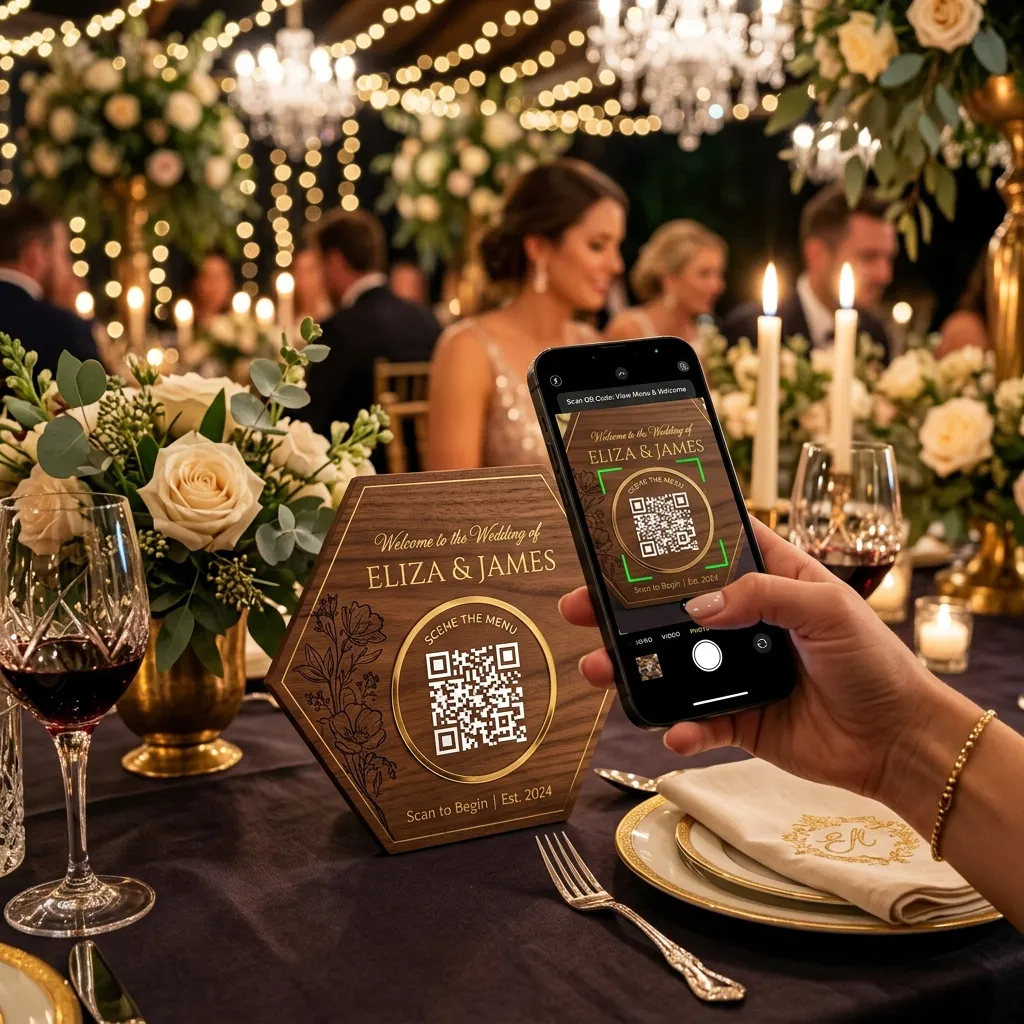
Search for a wedding photo sharing app without login and you are really asking one question: will my guests actually use it? An app that needs a download, an account or a password gets used by the twelve most enthusiastic friends and ignored by everyone else, including the relatives whose photos you most want. This guide explains what "no login" has to mean for it to work, which apps genuinely do it, and where the catch usually hides.
We build EventPixel, which is one of the apps that does. We say so where it matters, and we name the tools that do it differently.
What "no login" actually needs to mean
Vendors use the phrase loosely. For a wedding, the bar is specific: a guest with a phone they have never used for anything but calls and WhatsApp should be able to go from seeing a sign to having uploaded a photo in under thirty seconds, without help. That rules out four things that often hide behind "easy":
- An app store download. Even a free one. It needs an account on the store, storage space, a working connection, and a guest who trusts an unfamiliar app enough to install it at a party. Each of those loses people.
- An account with the photo service. Email, password, verification code. Nobody does this at a reception.
- A Google, Apple or Facebook sign-in. Faster, but a surprising share of older guests either do not have the account on that phone or do not remember the password. Google Photos shared albums are the classic example.
- Joining a group. WhatsApp needs your number added by an admin, which means someone at the wedding has to do that for 150 people.
What passes the bar is a QR code that opens a web page, and a web page that accepts photos immediately. The guest's name is optional. That is the entire pattern.
How the no-login flow works
- The guest points their phone camera at the QR code on the table. Every modern phone reads QR codes natively; there is nothing to install for that either.
- A link appears. They tap it, and the upload page opens in their browser, showing the couple's names and photo so they know they are in the right place.
- They tap "add photos", pick from their camera roll, and upload. Optionally they type a first name.
- The photos appear in the couple's gallery, and on the live photo wall if there is a screen, within seconds.
The guest never creates anything, remembers anything or installs anything. If they scan the same code later that night, the same page opens and they upload again.
Which wedding photo apps are genuinely login-free
Verified on each vendor's live site on 4 September 2026. "Login-free" here means guests upload from the browser with no account and no download.
| App | Guest login? | Guest download? | Host download? | Notes |
|---|---|---|---|---|
| EventPixel | No | No | No | Browser for both sides. Free plan includes website, QR code, live wall, 100 uploads. |
| Wedibox | No | No | No | Browser-based, free tier at 50 uploads. |
| GuestPix | No | No | No | Browser-based, no free tier, from $49. |
| Kululu | No | No | No | Browser-based; free gallery active only 24 hours after the event. |
| WedUploader | No | No | No | Uploads land in the host's own Google Drive. |
| Eventoly | No | No | No | Browser-based, free trial, from $49. |
| POV | No | No on iOS and Android | Yes | Guests join via App Clip or web; the host must install the app to run a personal event. |
| Google Photos shared album | Usually | No | No | Direct sharing needs a Google account; link sharing works but each guest's uploads count against their own storage. |
| WhatsApp group | Must be added | Has it already | Has it already | No login as such, but an admin must add every number, and photos are not kept at original quality. |
So most dedicated wedding apps clear the guest-side bar. The differences worth paying attention to are the ones after upload: whether you get original files, how long the gallery lives, whether guests can find themselves, and what it costs. Our ranked comparison of twelve apps covers those, including where rivals beat us.
Where the catch usually hides
"No app" for guests, but an app for you
POV is the clear example: guests need nothing, but the host installs an app to create a personal event. That is fine if you know, and a surprise if you set it up the night before on a laptop. Check the host side, not only the guest side.
No login, but a name field that looks mandatory
A form that asks for name and email before the upload button loses people even when the fields are technically optional, because nobody reads the small print at a party. Good upload pages put the photo picker first and the name field after, clearly marked optional.
No login, but a 24-hour window
Kululu's free tier keeps the gallery active for a day after the event date. Guests who upload on Sunday morning, which is when a great many photos arrive, find it closed. No login helps nobody if the door is shut.
No login, but compressed photos
WhatsApp is the frictionless option everyone already has, and it sends photos at Standard or HD quality with no documented original-file option. The upload is easy; what you keep is not what was taken. A wedding is the one event where that trade is wrong.
Why this decides everything else
Upload friction is not one feature among many. It is the multiplier on all of them. A gallery with face search, a beautiful website and a live wall is worth nothing if it holds forty photos because guests gave up at the sign-in screen. This is why we weight guest friction at 35% when we rank these apps, ahead of price, and why we built EventPixel so that the first thing a guest sees after scanning is the photo picker.
The second-order effect is who you lose. Login walls do not lose guests at random. They lose the ones least comfortable with their phones, which at most weddings means the grandparents, the older aunts, the family friends who have known you since you were four. Their photos are the ones you cannot get any other way.
The same rule holds outside weddings, and for the same reason: match the tool to the least tech-comfortable person in the room, not the most. Conference attendees will not install anything for a one-day event but will scan a code at their seat; birthday guests and reunion crowds want zero setup; a school or community event has a broad, non-technical audience an app requirement shuts out. Wherever the age range is wide, the no-login flow is the only one that reaches everyone.
Setting it up so nobody has to log in to anything
- Create the event and pick a template. Put your names and a photo on the upload page so guests know it is yours.
- Print the QR code on a sign for every table. In your colours, so it reads as styling rather than an afterthought.
- Test it on an old phone with no accounts signed in. If it works there, it works everywhere.
- Have one person say one line from the microphone early in the reception.
- Leave uploads open for a week and send the gallery back to guests when it is full.
The full playbook, with placement and timing detail, is in how to collect wedding photos from guests.
Frequently asked questions
Is there a wedding photo sharing app that needs no login at all?
Yes, several. EventPixel, Wedibox, GuestPix, Kululu, WedUploader and Eventoly all let guests upload from the browser after scanning a QR code, with no account and no download. They differ on what happens after upload and on price.
Do guests need to download anything?
Not with any of the browser-based apps above. The QR code opens a web page. POV is the exception on the host side: guests need nothing but the host installs its app to run a personal event.
Can guests upload without giving their name?
On EventPixel the name is optional and the photo picker comes first. Some tools put a name field before the upload; check the upload page yourself before printing signs, because a form that looks mandatory loses guests even when it is not.
Is a no-login gallery private?
Privacy comes from the link, not from a login. Only people who scan your code or have your link can reach the gallery, and the host can delete anything at any time. That is the same model a shared album link uses; the difference is that guests do not need an account to contribute. For more control, add a password and decide on downloads: every setting is explained in how to keep event photos private.
Why not just use WhatsApp?
Because WhatsApp offers only Standard or HD quality for photos and keeps no archive, so the photos are compressed and live only on participants' phones. For a small gathering that is fine. For a wedding you get once, it is the wrong trade.
What about guests with old phones?
Browser-based upload is the one approach that works on old phones, because it needs nothing beyond a camera that reads QR codes and a browser. App-based tools are the ones that fail on older devices.
Does no-login mean lower quality photos?
No. Upload quality depends on the tool, not on whether there is a login. EventPixel, Wedibox, GuestPix and WedUploader all keep original quality from a browser upload. WhatsApp is the tool that compresses, and it happens to be the one everyone is already logged into.
The bottom line
Pick a QR-based app where the upload page opens in the browser and the photo picker comes before any form. Test it on the oldest phone you can find. Then spend your effort on placement and the one spoken announcement, because with the login wall gone, those decide how many photos you get. Our wedding photo sharing app works exactly this way and is free to start.







