How to Share Event Photos Without Asking Guests to Download an App
Every app download request loses you 60% of your guests. Here's how modern event organizers in India are collecting photos with zero friction — no installs, no signups, just a scan.
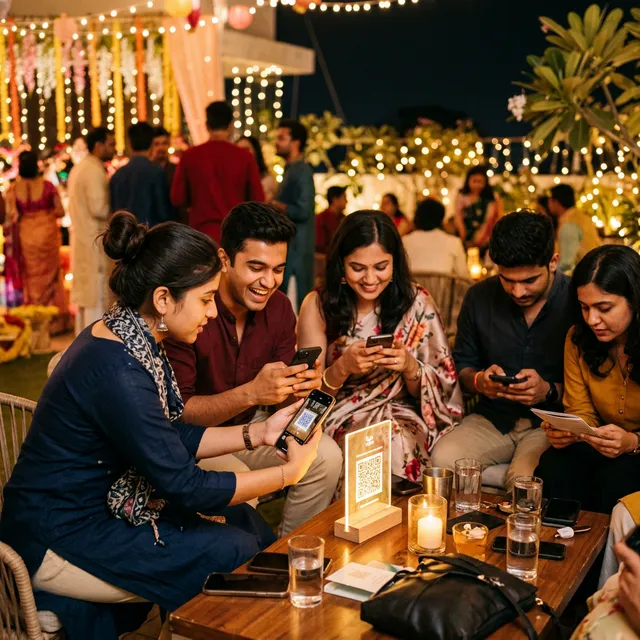
Why App Downloads Kill Participation
Let's walk through what a guest experiences when you ask them to download an app:
- Open the App Store or Play Store
- Search for the app by name (often misspelled)
- Wait for the download (poor venue Wi-Fi makes this painful)
- Create an account or log in
- Grant permissions
- Navigate to the event
- Find the upload button
- Select and upload photos
That's eight steps before a single photo is shared. At a wedding or party, guests are busy, distracted, and in the moment. Eight steps is eight chances to lose them.
The Zero-Friction Alternative
EventPixel removes all eight of those steps and replaces them with two:
- Point the phone camera at a QR code
- Select photos and tap upload
No app. No account. No permissions prompt. Just a mobile-optimized web page that opens directly in the browser — the same browser already on every phone.
This approach works because it leverages behavior guests already have: they open their camera multiple times per hour at any celebratory event. Scanning a QR code is already part of that behavior.
What "No App" Actually Looks Like
When a guest scans your EventPixel QR code, they land on a clean, mobile-optimized page with:
- Your event name and a welcome message
- A single large "Upload Photos" button
- Support for photos and videos directly from their camera roll
- A thank-you confirmation once uploaded
The entire experience takes under 30 seconds. It works on iOS and Android. It works on 4G if venue Wi-Fi is slow. And it works for your 65-year-old uncle just as easily as for your tech-savvy college friends.
Results You Can Expect
Event organizers using QR-based, no-app photo collection consistently report:
- 3–8x more photos collected compared to app-based or WhatsApp-based methods
- Participation from all age groups, including guests who rarely use smartphones for anything beyond calls
- Higher quality submissions because guests upload original files, not compressed chat-forwarded copies
Setting It Up
Creating your EventPixel event takes under five minutes:
- Sign up at eventpixel.app
- Create a new event, add your event name and date
- Customize the welcome message guests will see
- Download or print your QR code
- Display it anywhere guests will see it
That's it. Your event gallery is live and ready to receive uploads the moment your first guest scans.
Conclusion
The best photo-sharing experience for your guests is the one that asks the least of them. Every app download you eliminate is dozens of photos you gain. If you want a genuine archive of your event — not just the twenty photos your photographer took — remove the friction entirely.
Your guests want to share. Make it a single scan.