AI Face Search for Your Event Photo Gallery: A Practical Guide
An event photo gallery with AI face search lets guests find themselves in seconds. Here's what the experience looks like and how to set one up.
What is an AI face search event photo gallery?
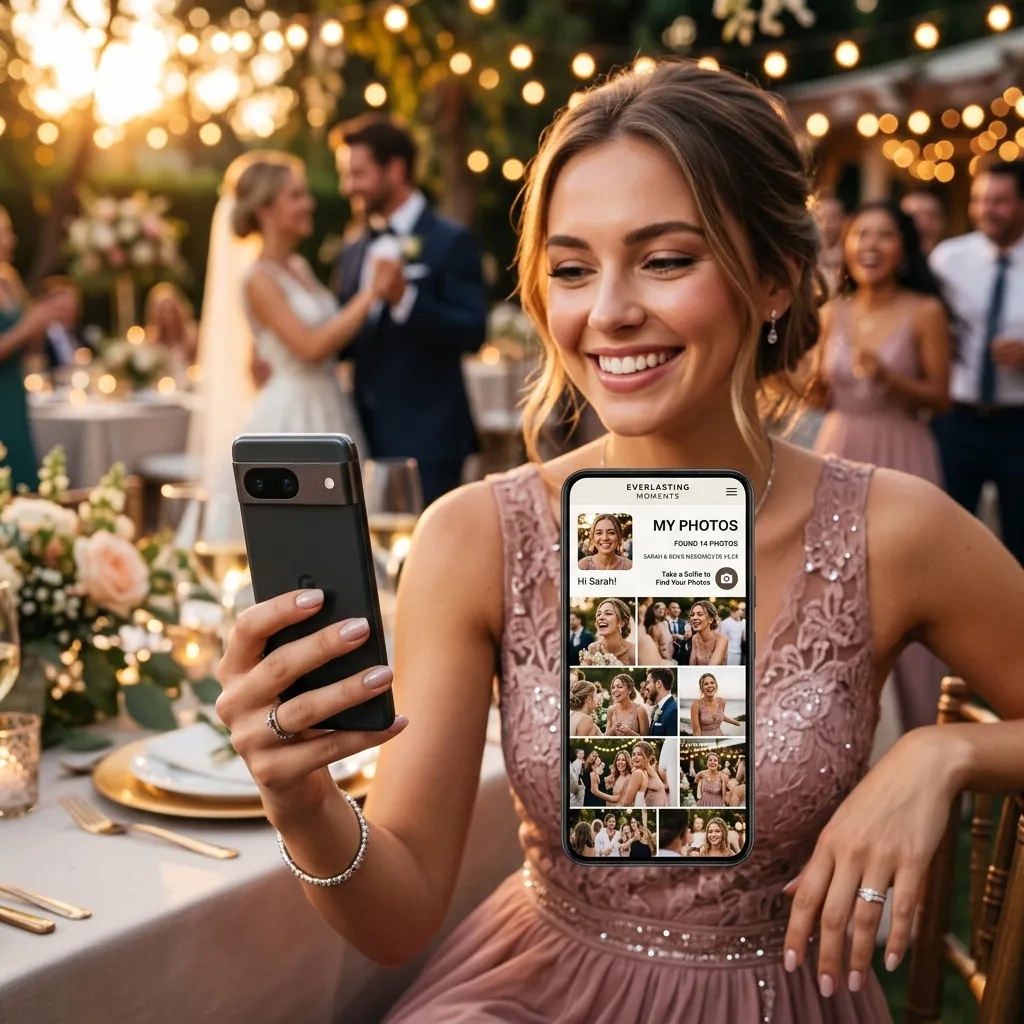
An AI face search event photo gallery is a shared photo gallery where guests find their own photos using face recognition instead of scrolling. Take a selfie, and the gallery instantly surfaces every image you appear in. It's the difference between a gallery people glance at once and one they return to for weeks.
This guide walks through what the guest experience actually feels like, what it does for organisers, and how to set one up for your next event.
What the guest experience looks like
From a guest's point of view, it's almost effortless:
- They scan a QR code at the venue and the gallery opens in their browser — no app, no login.
- They tap "find my photos" and take a quick selfie.
- In a few seconds, every photo they're in appears, ready to view, download, and share.
That immediacy is the whole point. Nobody wants to scroll two thousand images hunting for the ten they're in. Face search hands those ten over instantly.
What it does for organisers and photographers
- Higher engagement — guests interact with a gallery they can navigate by face, and they share their photos onward.
- Zero manual tagging — no grouping photos by person; the AI handles it.
- Works at any scale — from an intimate party to a conference with thousands of attendees.
- Cleaner delivery — each person effectively gets a personalised gallery without you building one.
EventPixel's MagicFind provides this out of the box. For the bigger picture on how face recognition powers sharing, see our explainer on event photo sharing with AI face recognition.
How to set one up
It takes minutes: create your event, generate the QR code, place it where guests gather (table cards, welcome signs, the photo booth), and let uploads flow. As photos arrive, the gallery indexes faces automatically, so face search is ready the moment guests want to use it. For how a real-time gallery compares across tools, see our real-time event photo gallery software guide.
What to look for in a face-search gallery
Not all face-search galleries are equal. When you're choosing one, weigh these:
- Accuracy at scale — it should match reliably across thousands of images and in tricky lighting. Test it on a sample set.
- No-app access — guests should reach the gallery and run face search from a QR code in the browser, with nothing to install.
- Speed — results should appear in seconds; make guests wait and they give up.
- Privacy controls — face data should be scoped to the event and used only to match guests to their own photos.
- Full-resolution downloads — once guests find their photos, they should be able to save them at print quality.
- Moderation — the option to approve uploads before they appear keeps the gallery clean for formal events.
Above all, try it before the event. A five-minute test with a handful of sample photos tells you more about real accuracy and speed than any feature list.
How it differs from tagging and albums
Older galleries leaned on manual tagging, named albums, or hashtags — all of which depend on someone doing tedious work and guests knowing the system. Face search needs none of that. There's nothing to tag, no album to navigate, and no hashtag to remember; a guest's own face is the only key they need. For organisers that means zero setup overhead, and for guests it means the gallery works the instant they open it. That shift from manual organisation to automatic, self-serve discovery is the whole reason face search has become the default for large events.
Frequently asked questions
How does AI face search in a gallery work?
The gallery indexes faces across all uploaded photos. When a guest submits a selfie, it matches their face and returns every photo they appear in, in seconds.
Do guests need an account to use it?
No. On EventPixel, guests open the gallery from a QR code and use face search without creating an account or installing anything.
Is it accurate with large galleries?
Yes — modern face search handles thousands of images well. If accuracy is critical, test it with a sample gallery before your event.
The bottom line
An event photo gallery with AI face search respects the one thing guests have least of: patience. They find themselves in seconds, engage more, and share more. For any event with lots of photos and lots of faces, it's the feature that makes the gallery worth having.
Set up an AI face search gallery on EventPixel — free to start →