Event Photo Sharing With AI Face Recognition: How It Works
AI face recognition turns a giant event gallery into something every guest can actually use. Here's how it works and why it changes event photo sharing.
What is AI face recognition in event photo sharing?
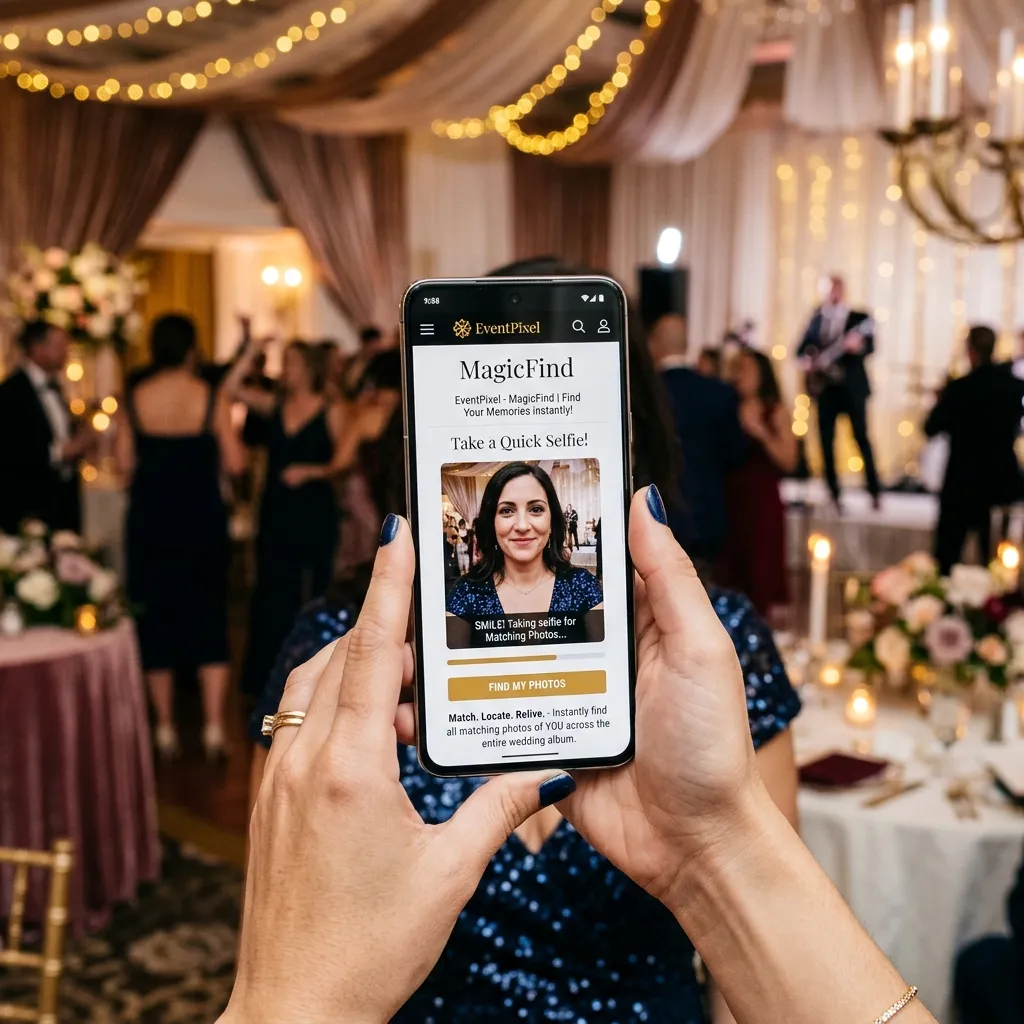
AI face recognition is technology that identifies who appears in a photo by analysing facial features. In event photo sharing, it's the bridge between a gallery of thousands of images and the handful any single person actually wants — the ones they're in. A guest submits a selfie, and the system instantly returns every photo they appear in.
Without it, a 2,000-photo event gallery is something people open once and abandon. With it, every attendee gets a personal, curated set in seconds. That shift — from archive to personalised experience — is why face recognition has become the defining feature of modern event photo platforms.
How it works, step by step
1. Photos are uploaded to the shared gallery — by guests, the photographer, or both.
2. The AI indexes faces across every image as they arrive, building a private map of who appears where.
3. A guest takes a selfie from their phone to identify themselves.
4. The platform matches and returns every photo containing that face — accurately, even across thousands of images and in mixed lighting.
The guest then views and downloads just their photos, or browses the full gallery if they want. No scrolling, no guessing.
Why it changes event photo sharing
- Engagement goes up — when finding yourself is effortless, people actually use and share the gallery.
- No manual sorting — organisers and photographers skip the tedious work of tagging or grouping photos by person.
- It scales — face search works just as well for a 50-person dinner as a 5,000-person conference.
- It works for everyone — guests don't need to know names or hashtags, just their own face.
EventPixel's MagicFind is built on exactly this, paired with no-app guest upload. To see how it stacks up against other tools, read our comparison of the best AI event photo sharing platform tools.
Is it private and accurate?
Good platforms keep face data scoped to the single event and use it only to match guests to their own photos. Accuracy on modern systems is high even in difficult lighting, though it varies by platform — so if face matching is critical to your event, test it on a sample gallery first.
Where it makes the biggest difference
Face recognition helps at any event, but a few situations show off its value especially clearly:
- Weddings — guests find their own candids instantly across a day that produced thousands of photos, and the couple gets every angle in one album.
- Conferences and corporate events — attendees receive their photos automatically, which fuels social sharing and extends the event's reach.
- Festivals and large parties — with crowds in the thousands, manual sorting is impossible; face search is the only practical way for people to find themselves.
- Schools, reunions, and sports days — families locate their own children or teammates without scrolling endless group shots.
It also quietly fixes a fairness problem: in a plain gallery, the most photogenic or front-row guests dominate and everyone else gives up looking. Face search gives every guest the same effortless path to their own photos.
What it doesn't do — and what to pair it with
Face recognition solves findability, not capture. You still need photos flowing into the gallery in the first place, which is why the strongest setups pair face search with frictionless, no-app guest upload — guests contribute easily, and everyone finds themselves instantly. It also isn't a substitute for a photographer; it's the layer that makes both professional and guest photos usable at scale. Think of it as the index to your event's photos, not the camera.
Frequently asked questions
How accurate is AI face recognition at events?
Modern face recognition is highly accurate even across thousands of images and in mixed lighting. Accuracy varies by platform, so test it with a sample set if it's mission-critical.
Do guests need an app for face search?
Not with the best tools. EventPixel runs in the browser — guests scan a QR code, take a selfie, and find their photos with nothing to install.
What kinds of events is this useful for?
Weddings, conferences, corporate events, festivals, parties — anywhere there are lots of photos and lots of people who want to find themselves.
The bottom line
AI face recognition is what makes event photo sharing actually work at scale. It turns an overwhelming gallery into a personal one for every guest, with a single selfie. Pair it with frictionless, no-app upload and you have a gallery people use long after the event ends.